Get started
Your First Week: A Setup Checklist for the CRM
A day-by-day checklist for getting the CRM set up with your real accounts, contacts, leads and pipeline.
Automation System · 5 min read
The CRM home screen opens with a four-step Getting Started panel. This checklist follows the same order and adds the small decisions that make the rest of the system work well.
Day 1: Add your accounts
Accounts are the companies you work with: clients, prospects and partners. Import them from a CSV or create them one by one. Start with the companies you are actively selling to or working with, not your entire history.
Decide what counts as an account in your business before you import.
Clean up duplicates in your spreadsheet first. It is faster than fixing them later.
Day 2: Add contacts
Contacts are the people at those companies: your key relationships and decision makers. Import them from a CSV and link each one to its account.
Day 3: Capture leads
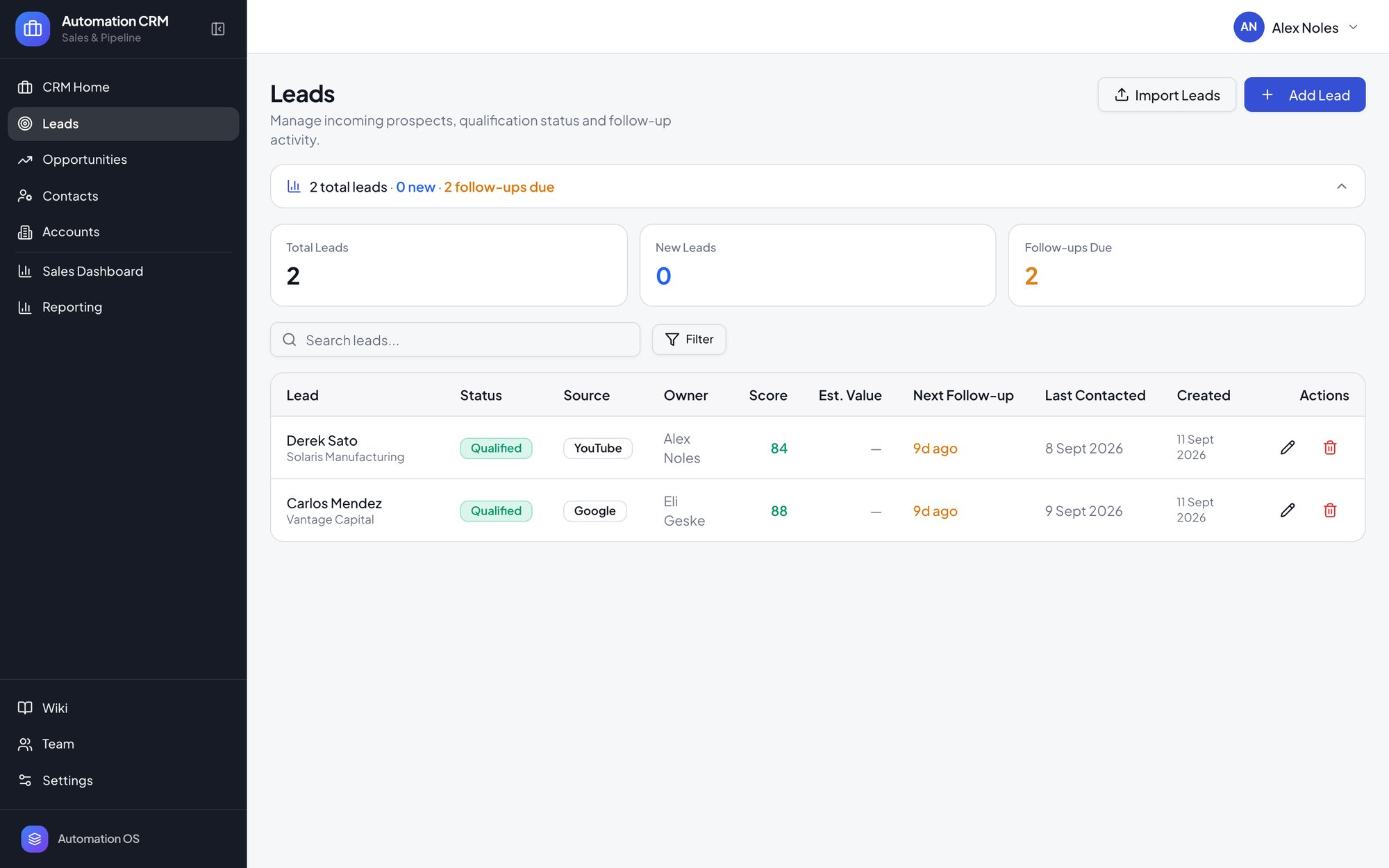
When a new opportunity comes in, create a lead. Each lead tracks its status, source, owner, score, estimated value, next follow-up and when it was last contacted. Connect a form so new inquiries arrive as leads automatically, then qualify a lead when it is real.
Day 4: Set up your pipeline
Qualified leads become opportunities, which move through your pipeline stages to close. Automation CRM starts with New Opportunity, Discovery, Proposal, Negotiation and Closed. Rename or add stages so they match how you actually sell.
Day 5: Set a target and invite your team
Set a quarterly target so the CRM home can show target progress alongside open pipeline, won revenue and win rate.
Invite your team and give each person the permissions they need.
Open Reporting and check the Sales Command Center reflects what you expect.
After week one
Use the Needs Attention and Closing Soon panels on the CRM home as your daily check-in. Then start shaping the system: every field, screen and workflow can be changed by describing what you want to Zite's AI app builder.
Want Automation CRM?
Tell us how your business runs and we’ll get you started with Automation CRM ($599), or help you work out if it fits.